afk in your Account — in Start.
afk Golden Toad - Android & iOS Mobile Casino App
Golden Toad is a slot game available on our afk platform through Android app or iOS browser, featuring traditional symbols, free-spin mechanics, and progressive bonus rounds. We stream the game directly to your phone with full account integration — deposit via DANA, e-wallet, or your bank, and your balance syncs instantly across all devices.
Open an account
Golden Toad
- and
- Category
- Live Table / Card
- RTP
- high
- high
Our mobile version of Golden Toad compresses graphics for fast loading while preserving visual clarity on your screen. Spin animations play smoothly on 4G connections, and we save your session locally so you can pause and resume without losing progress. Push notifications remind you when free-spin promotions are active, and our withdrawal flow processes cashouts subject to standard review windows.
Golden Toad gameplay and mobile interface
Golden Toad is a five-reel slot game with multiple paylines and symbol combinations. The main symbols include the golden toad (highest value), coins, lanterns, and standard card ranks. Landing three or more matching symbols across a payline triggers a payout. The golden toad is the scatter symbol — landing it anywhere on the reels activates bonus features like free spins or multiplier rounds.
On our afk mobile platform, the Golden Toad interface displays the reels in the center, your current balance at the top, and spin controls at the bottom. We resize buttons for thumb taps, and the reel animations scale responsively to your phone's screen size. Landscape mode enlarges the reels; portrait mode stacks controls below. Your bet amount appears next to a "Spin" button — tap to play one round, or select "Auto Spin" to play multiple consecutive rounds automatically.

Each spin deducts your chosen bet amount from your balance immediately. Once the reels settle, we display any winning combinations and add payouts to your account. If you trigger free spins, we enter that bonus round automatically — you watch the reels spin for free, and all winnings during free spins are added to your balance at the end. We also track your spin history in the account dashboard, so you can review recent games and results anytime.
Android installation and iOS browser access
To play Golden Toad on Android, download the afk app from our website. Visit afk.bet on your phone, tap the "App" link in the footer, and select "Android download". The APK file is approximately 45 MB and installs in under one minute. Once installed, open afk and log in with your email or username and password. If you do not have an account, tap "Register", enter your details, and we send a one-time SMS code to verify your phone number.
For iOS users, there is no app download needed. Open Safari, visit afk.bet, and bookmark the site. Our mobile web version renders identically to the Android app — all Golden Toad features, deposit methods, and account tools are available through Safari. For faster access, you can add afk.bet to your home screen by tapping the share button and selecting "Add to Home Screen".
Account registration and KYC verification
During registration, we collect your email, chosen username, password, and phone number. We send a one-time verification code to your phone via SMS — enter this code to confirm your identity. Next, we request KYC documentation: a photo of your national ID (KTP if you are in Indonesia) and a recent selfie. We verify these automatically within minutes, though peak times may add slight delay. Once approved, your account is unlocked and ready to deposit.
Deposit methods and funding your Golden Toad balance
We support eight payment channels on afk: DANA, e-wallet, mobile banking, local payment, online paymente-wallet, and bank transfers via mobile banking, local payment, online payment, and e-wallet virtual accounts. E-wallet deposits process instantly — your balance updates within seconds. Bank transfers typically settle within 1–4 hours depending on your bank. To deposit, tap "Wallet" in your account menu, select "Deposit", choose your payment method, and enter the amount. We redirect you to your e-wallet app or banking app to complete the transaction. Once we receive confirmation, we credit your account immediately.
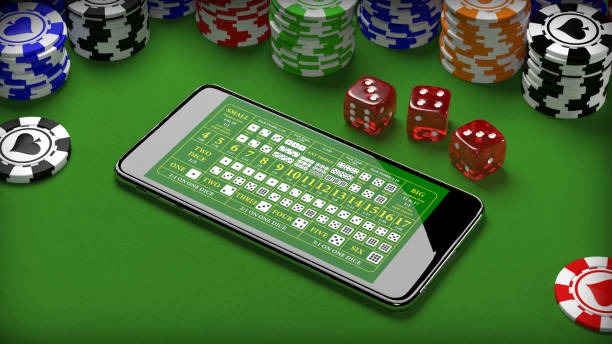
Once your deposit arrives, your balance reflects the new amount. You set your bet size using the + and - buttons on the Golden Toad screen, then tap "Spin" to begin playing. Your balance updates after each spin based on wins or losses. We display your current session balance prominently so you always know how much you have available.
Every Golden Toad spin on afk is recorded in your account history — you can review results, bet amounts, and winnings anytime.
Data usage and mobile connection requirements
Golden Toad consumes approximately 50–100 MB per hour on afk, depending on reel animation quality and your connection speed. We default to adaptive bitrate, so if your connection weakens, we reduce animation detail automatically while keeping the game playable. On a standard 4G mobile plan, one hour of Golden Toad play uses less data than most video streaming. If you have a limited data allowance, you can disable high-quality animations in Settings > Video Quality and select "Standard".
We recommend playing on WiFi when available to preserve your mobile data. Most cafes and public spaces in Jakarta, Bandung, Surabaya, and Medan offer free WiFi. Our app displays your session's approximate data usage in real time, so you can pause before reaching your monthly limit if needed.
Push notifications and session management
We send push notifications to alert you of free-spin promotions on Golden Toad, account activity (deposits, withdrawals), and bonus events. You control notification preferences in Settings > Notifications — mute specific categories, set quiet hours, or disable alerts entirely. Our notifications are designed to inform, not interrupt; we do not send spam or excessive alerts.
Your Golden Toad session saves automatically on your phone. If your connection drops or the app closes, we resume your game exactly where you left off when you log back in. Session data is cached locally and encrypted, so your balance and spin history remain protected even if you switch phones.
Mobile advantages
- Play Golden Toad anywhere on your phone
- subject to verificationly via mobile banking or local payment
- Session resumes automatically if disconnected
- Low data usage — under 100 MB per hour
Considerations
- Requires active internet — online paymentef drops pause spinning
- Screen size limits visual detail compared to desktop
- Battery usage depends on play duration
Account security and password management
We protect your afk account through encrypted login and optional two-factor authentication. Your password is hashed and salted on our servers — never stored in plain text. Your session expires after 24 hours of inactivity, requiring a fresh password entry to resume. If you forget your password, tap "Forgot Password" on the login screen, and we send a reset link to your email. Follow that link, create a new password, and log back in.
We recommend enabling two-factor authentication if you maintain high balances. Go to Settings > Security and select "Enable 2FA". We send a code to your registered phone number whenever you log in from a new device. This adds seconds to login but prevents unauthorized access even if your password is compromised.
Withdrawal and account history
To withdraw your Golden Toad winnings, tap "Wallet" > "Withdraw", select your preferred payment method (typically the same channel you used to deposit), enter the amount, and confirm. We review your withdrawal for compliance within minutes. Most withdrawals are approved subject to standard review windows. E-wallet withdrawals arrive within subject to verification; bank transfers typically complete within 1–2 hours on business days.
Your complete transaction history — all deposits, withdrawals, spins, and Golden Toad results — is visible in your account dashboard. Swipe left on any transaction to view details, including amounts, dates, and status. We maintain this history indefinitely so you can review your account activity anytime.
Service availability and jurisdiction
Our afk services, including Golden Toad access, are available only where applicable local law permits. Users are responsible for verifying that access and use comply with their own jurisdiction's regulations. We do not offer our services in jurisdictions where online gaming is prohibited. Before creating an account, confirm that Golden Toad access is legal in your area. During regional holidays like Idul Fitri, Idul Adha, or Imlek, we may run special promotions or adjust game availability — check our announcements page for updates.
Related guides
Summary — Golden Toad on your phone through afk
We make Golden Toad accessible on Android and iOS through one unified afk account. Download our app or use Safari, complete KYC verification, deposit via e-wallet, mobile banking, or your bank, and start spinning within minutes. Our mobile interface scales beautifully to any screen size, and session data saves automatically so you can pause and resume anytime.
Golden Toad on afk combines traditional slot mechanics with modern mobile convenience. Your balance updates instantly after each spin, all results are recorded in your account history, and withdrawals are processed subject to standard review windows. Whether you are in Jakarta, Medan, Surabaya, or anywhere else, access afk Golden Toad only where local law permits.

user First and, Main Info.
afk-in We in — Info before, Promotion after —.